GoodSign Digital Signage CMS
A good and modern Digital Signage should be
 Easy to use
 Easy to set up and maintain
 And still have advanced high end functionality
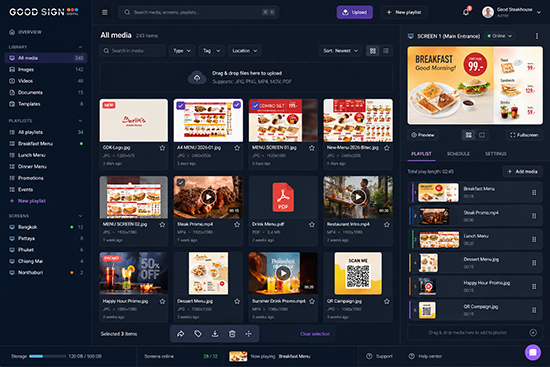
In GoodSign Digital we always listen to our customers. Lots of the functionality in our software has been developed because customers have told us that this would be a good function to have.
Therefore we often say that our software is developed by our customers, not by us? We simply code and implement new ideas into our excisting solution.
Time scheduling |
Audio support |
Synchronized screens |
||
 |
 > > |
 > > |
||
Support for many OS |
External software integration |
Easy to install |
||
 |
 |
 |
||
Active Directory integration |
Divide screens in zones |
User templates |
||
 |
 |
 |
||
Easy user intefrace |
Synchronized folders |
Players overviews |
||
 |
 |
 |
||
FUNCTIONALITY
Time schedules
|
|
Time scheduling is mandatory for all digital signage solutions. With our system you can use the time scheduling in several ways:
Play length on single files, as images, can of course also be adjusted. While the default time for an image is 10 seconds, they can be scheduled to be displayed as short as 1 second |
Audio support
|
|
We support audio files such as mp3. Audio files can be added to playlists, and they will play in the background of the visual content.
You can also set up playlists with audio files only, and even add time schedules for when they should be played. |
Synchronized appearance
|
|
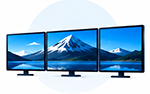
Serial connected screens are synchronized. This means that the content will change at the same time if playtime is set to the same duration. Without this functionality, content on each screen will change randomly and it will look very confusing for the customers. Synchronized content will work also if one or more screens have merged content. The solution is available for all our player versions; Samsung Tizen, LG WebOS and Android. |
Supports many operating systems
|
|
We support all SoC screens from Samsung and LG. These screens comes with an integrated Linux operating system (Samsung: Tizen, LG: WebOS) which makes external hardware/player unnecessary.
We also have an Android software version, which make customers able to purchase relatively cheap external players. And we also of course have a Windows version of our player software. Windows players are usually more expensive, but are often used for critical screens, as big LED screens etc. We even have support for consumer TV's equipped with Android, even though we recommend using professional screens for digital signage purposes. |
Software integration
|
|
Integrating other software can be done in several ways, but most common is to set up a webservice which "subscribes" to data and wraps it in a custom made template before it is published to the screens. This can be any kind of numbers, graphics etc and of course, it will show live data. Our own software GoodSign Link also have this integration of course, and can be used by Police, Security companies, hotels and restaurants etc. |
Easy installation
|
|
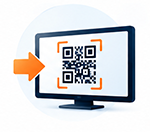
Adding new screens on the CMS as well as installing and registering them has never been easier. Each player can even be registered from a barcode which is generated from each screen. Simply scan the barcode during installation and you can be sure that the correct location is defined. |
Active Directory (AD) integration
|
|
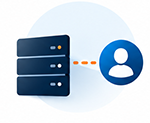
With Single Sign-On user credentials and access is heritaged from the customers own network access. Once logged on to the company network, access to the CMS is automatically granted.
This gives an extra layer of security as well as better control of which users that have access to the software. |
Dividing screens into several zones
|
|
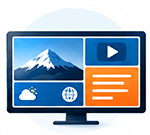
Creating zones and display different content in each zone make you able to split up the screens.
It can be used for videowalls, but also on single screens as for example on totems. One purpose could be to have integration with external software as for example que system, stock or exchange rates in one part, playing together with ordinary content. When you divide the screens into different parts, each part will play its own playlist, 100% independently from the others parts |
User templates
|
|
We can create custom templates for the customers, based on their requirements.
This avoids users to upload content which is not according to the comnpany’s graphic profile, as well as makes it very easy for users without graphich skills to create stunning content We also have default templates for addign news, weather forecast etc. |
Easy to use
|
|
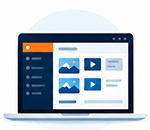
The user interface is made so it is intuitive and very easy to use for both regular users and administrators. Drag and Drop content from the media archive to the screens. You can even drag content from your own PC to the browser when uploading content. |
Synchronized folders
|
|
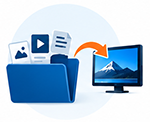
From the media archive, folders can be linked to playlists. This means that all content you add to the folders will be a part of the playlists. En removed from the playlist when you remove it from the folder. To make it even easier we have a small desktop application which does the same for PCs. Add a folder on your desktop, link it to one or more playlists, and the content you add there will also be played on the screens. |
Control Players from CMS
|
|
From the CMS you can control many functions of the players.
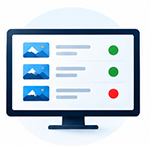
And of course, you can also see which players are offline and online. Online players are green, offline players are red. Easy and plain. |
 DUBAI
DUBAI
- Meydan Grandstand, 6th floor
- Meydan Road, Nad Al Sheba
- Dubai, U.A.E.
- Phone: +974 585 064 007
 NORWAY
- Industriveien 16
- 1481 Hagan
- Phone: +47 9018 1313
 THAILAND
- 616 Soi Hua Hin 112, Moo 6
- Baan Toong Yao, Thap Tai
- Hua Hin District, Prachuap Khiri Khan 77110
- Phone: +66 64 935 4429 (Thai)
- Phone: +66 65 240 3122 (English)